Features
PTE Management
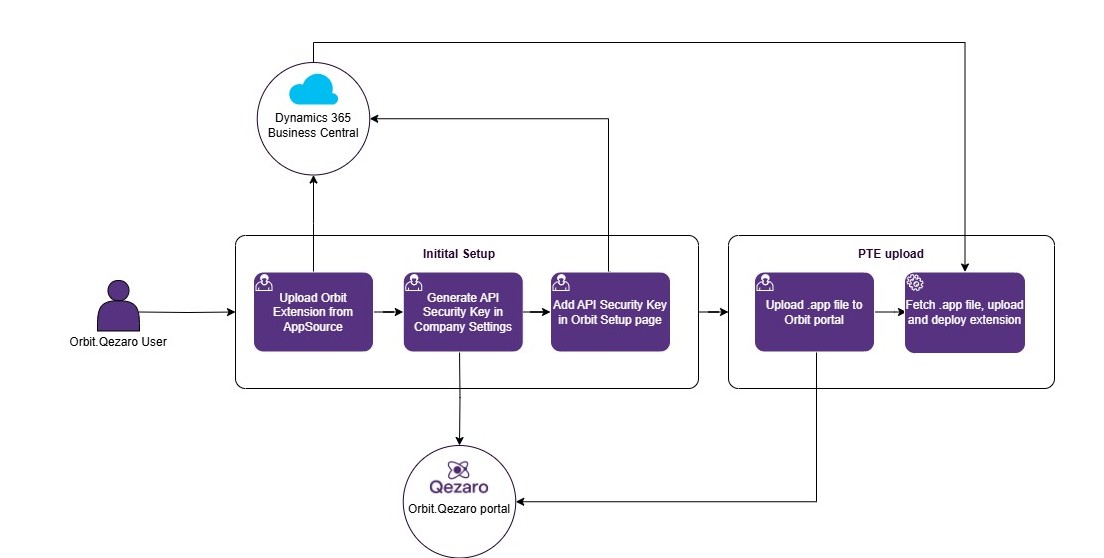
Manage Per-Tenant Extensions (PTEs) end-to-end: upload, schedule, and track for each Tenant and Environment.
What you can do
- Upload
.appfile - Select Tenant & Environment
- Choose Schema Sync Mode and other options
- Schedule a date/time for BC to process
- Reschedule / Reupload / Delete until the item is completed
- Download the originally uploaded
.app
📤 Bulk Upload to Multiple Targets (most popular)
Upload one .app and distribute it to multiple Tenants and Environments in a single submission.
Filters & Search
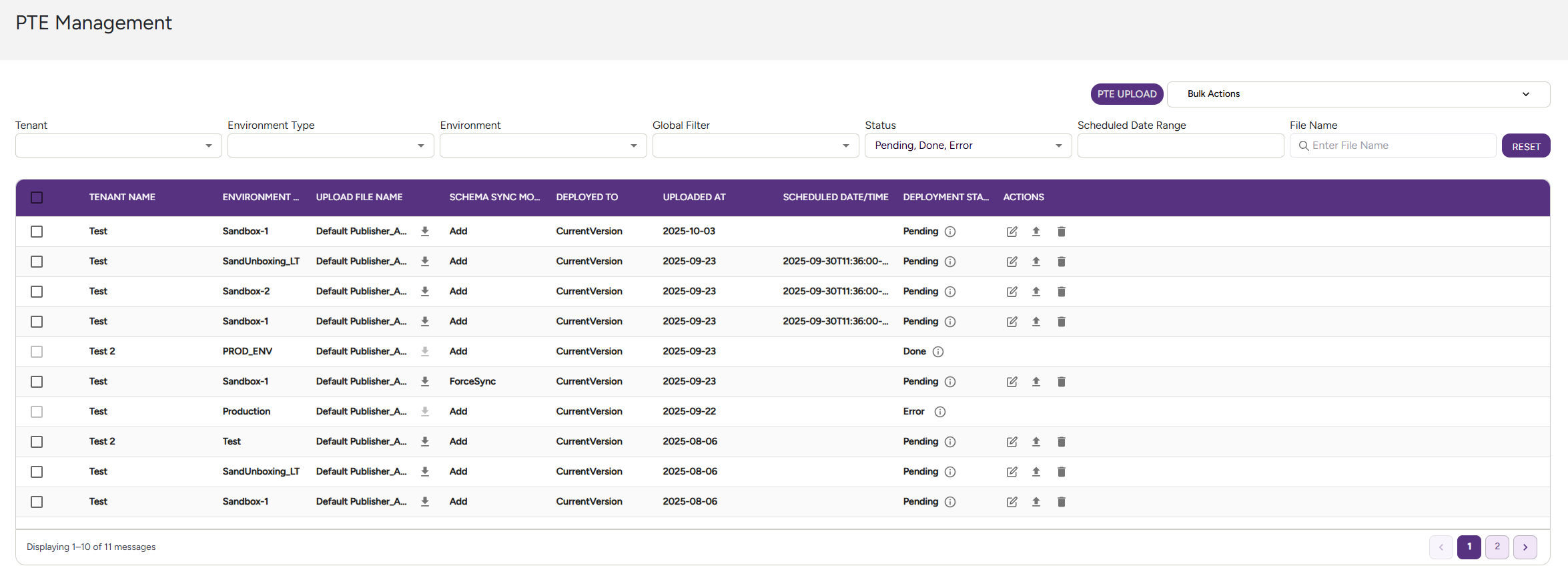
- Filter by: Tenant, Environment Type, Environment, Status, Scheduled Date range
- Search by: file name (case-insensitive)
Status tracking
- Pending — waiting for Business Central to pick up the submission.
- Sent — picked up by BC and currently being processed.
- Done — BC completed the .app installation successfully.
- Cancelled — user cancelled the submission manually.
- Error — an error occurred during installation.
- Hover to see a tooltip with the error summary.
- Click to open a popup with the full error message preview.
🎥 Watch the Demo
👉 View full screen – PTE Management
📸 Example Screenshot
➡️ Check the flow