Features
🚀 Manage Apps Page
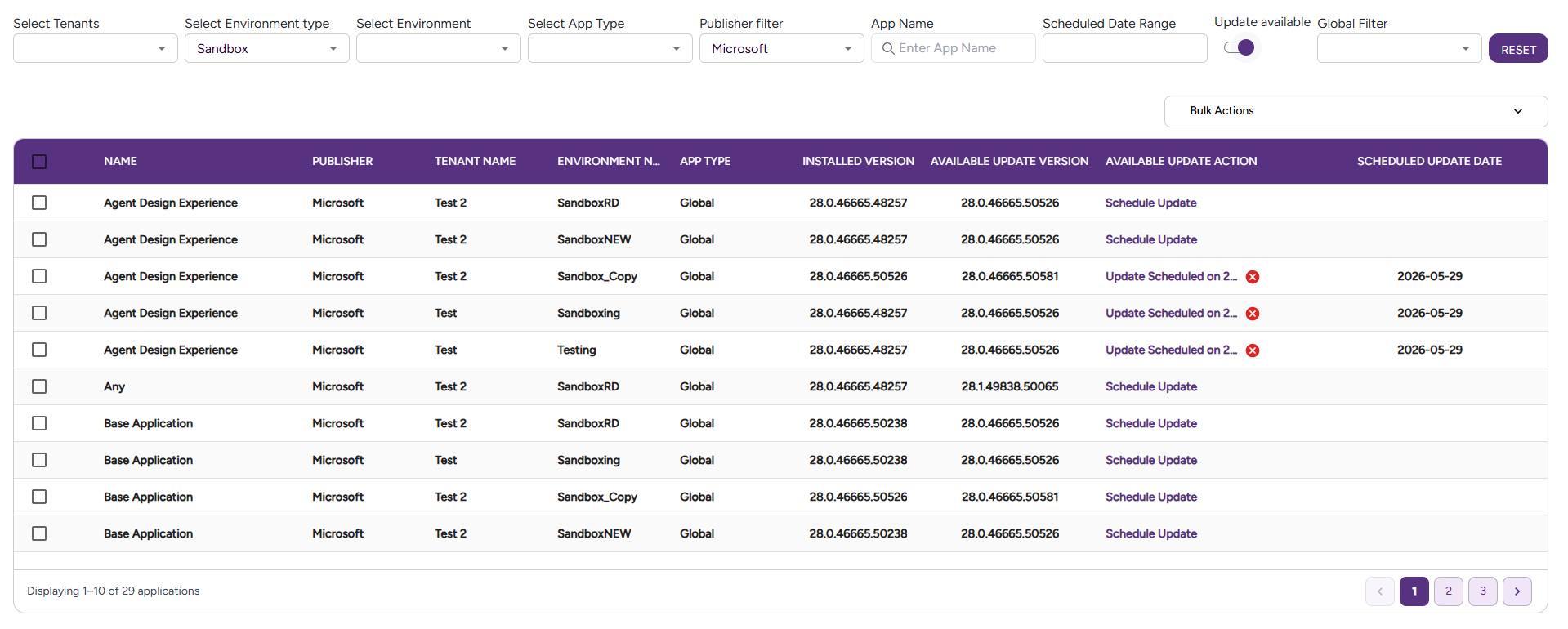
The Manage Apps page gives you a centralised view of all Business Central apps installed across your customers' tenants and environments. From here you can see which version each app is on, where it's deployed, and trigger updates — individually or in bulk — without having to log into each tenant separately.
🗂️ Navigating the App Inventory
By default, the page filters to show non-Microsoft apps, since those are the ones you typically manage as a partner.
You can narrow down the list using these filters:
| Filter | What it does |
|---|---|
| Customer | Show apps for a specific customer |
| Environment | Filter by a specific BC environment |
| Environment Type | Production, Sandbox |
| Publisher | Filter by the app publisher |
| App Name | Search for a specific app |
| App Type | Global, Per-tenant Extension, Dev Extension |
| Scheduled Date Range | View apps with updates scheduled in a time window |
| Update available toggle | Show only apps where an update is available |
💡 Tip: Always apply your filters before running a bulk update — the bulk action only applies to the apps visible on the current page of results, not all pages. If your filtered list spans multiple pages, you will need to run the bulk update on each page separately.
Bulk Update Apps
Once you've filtered the list to the apps you want to update, you can trigger a bulk update with one action.
How it works:
- Apply filters to show the apps you want to update
- Click the Bulk Update button — this applies to all apps on the current page only
- A job is scheduled to run within the next 1 hour
- Once the update completes in Microsoft Admin Center, the portal reflects the new version on the next sync (every 2 hours, or trigger a manual sync)
- If your filtered list spans multiple pages, repeat the bulk update on each page
The portal does not update immediately
After triggering a bulk update, the version shown in the portal will not change right away — it updates on the next sync cycle.
Schedule Updates for Later
You can also schedule app updates for a specific future date and time by selecting it from the interface — useful for planning updates outside business hours.
🎥 Watch the Demo
👉 View full screen – Manage Apps page
📸 Example Screenshot